
3D relief engraving from a photo on your fiber laser
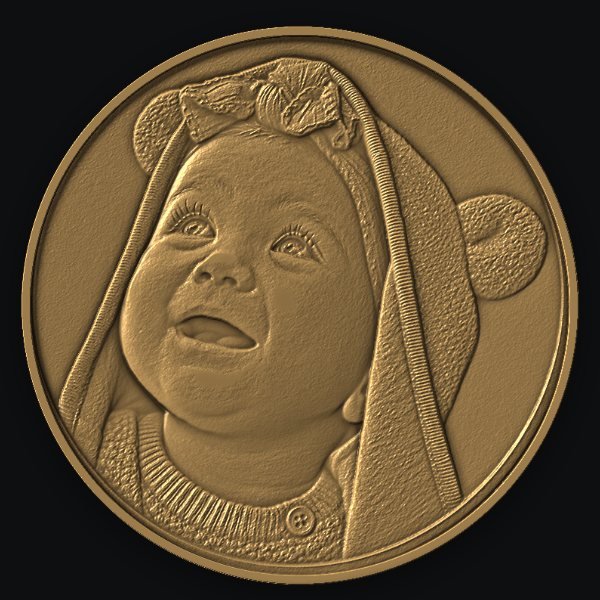
BeamCarve 3D turns a photo, drawing or depth map into a relief up to about 1 mm deep and burns it layer by layer in silver, gold, brass or copper. You see the result in the metal colour before the laser starts.
What is laser relief engraving?
Laser relief engraving removes metal in many thin layers, each one a little smaller, so the surface ends up with heights like a coin. BeamCarve calculates the layers from a depth map, where white is the surface and black is the deepest point.
How do you make a relief in BeamCarve?
A five-step wizard takes you from an image to a burn, with a live preview of the relief on the right the whole time.
- Image - drag in a photo or a drawing; optionally add a ready depth map.
- Type - pick what you have: Coin / medallion, Scene / landscape, Face photo, Drawing / logo or Ready depth map. Each type sets the processing, depth, resolution and line spacing.
- Size and depth - one click for 20, 25 or 30 mm, depth slider 0.1-1.5 mm, metal, and surface quality Fast / Normal / Smooth (100 / 200 / 300 layers per mm). You see the burn time, number of layers and what to do with the Z axis.
- Preview - a render in the colour of brass, gold, silver, steel or copper, with real depth and low light, plus depth map, 3D view, target vs simulation and error.
- Burn - focus instructions, Show (red light), a progress bar with layer X of Y, time left and finish time. When Z must move, a yellow box tells you how far.
Image types
- Coin / medallion
- an image that already looks like a carved coin, e.g. made with ChatGPT. Round frame, corners untouched.
- Scene / landscape
- a coin with a landscape. BeamCarve levels the scene tilt so the depth goes into the subject, not into the sky.
- Face photo
- an ordinary photo of a person. The background is cut out and the face rises above a flat background.
- Drawing / logo
- a black shape on white, e.g. a silhouette or lettering. The shape stays raised and rounded at the edges.
- Ready depth map
- you already have a map from another program. BeamCarve burns it unchanged.
Do I have to move the Z axis during a relief?
Not for reliefs up to about 1 mm with the default focus settings: BeamCarve sets the focus to the middle of the depth and burns without pauses. For deeper reliefs it pauses, tells you how far and in which direction to move the head or the table, and continues after you confirm.
Burn time depends on size, depth, quality and your laser. Example from our tests: a 20 × 20 mm relief with 40 layers took 28.5 minutes. The estimate in the program is corrected during burning with the real time of finished layers.
Why calibrate the material?
Each laser removes a different amount of metal per pass, so BeamCarve ships starting profiles for silver, gold, brass and copper and a calibration wizard that fits them to your machine.
- Pick the metal (or create a new one from the closest).
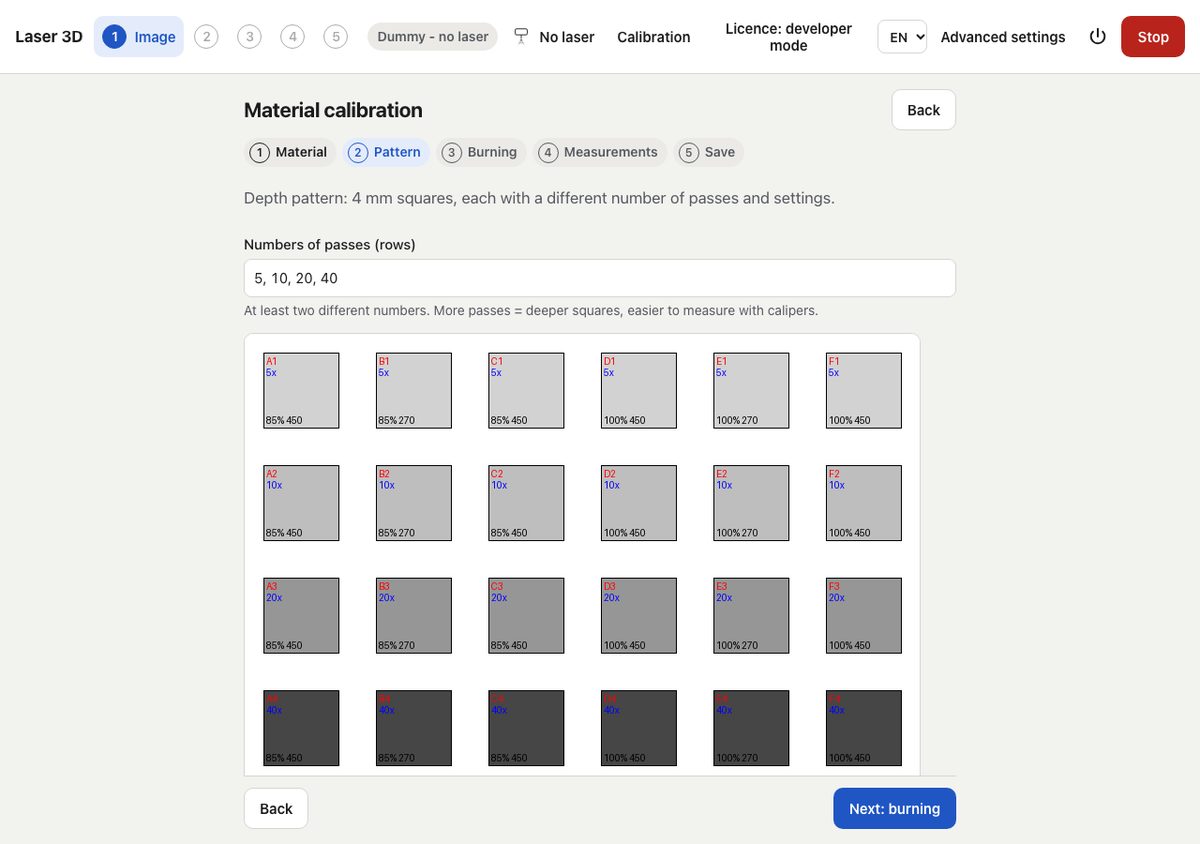
- Burn a test pattern of squares with 5, 10, 20 and 40 passes in six settings.
- Measure the depth of each square with a caliper (the program shows how).
- BeamCarve calculates microns per pass for each setting and suggests the best one.
- Save the profile; the next plans use it.
A separate darkening calibration finds settings that darken (eyes, shadows) without cutting deeper.
Extras
- Darken eyes and shadows - an optional pass after the relief darkens the dark areas of the source image without digging deeper (calibrate first).
- Cleaning pass at the end removes soot without adding depth.
- Export the 16-bit PNG depth map and STL.
- Local AI - Depth Anything V2 and background removal run on your computer, offline.
FAQ
Which metals can I carve?
Silver, gold, brass and copper have starting profiles; you can add any other metal as a copy of the closest one and calibrate it.
Do I need ChatGPT or another AI?
No. BeamCarve makes a depth map from an ordinary photo with its own local AI. Images from ChatGPT work well with the Coin and Scene types.
How big can a relief be?
One-click sizes are 20, 25 and 30 mm. Reliefs are burned in the middle of the lens field, where distortion is smallest.
Can I use a depth map from another program?
Yes, as a 16-bit PNG or ordinary image (white = surface), alone or together with the source image.
Want to see your photo as a relief?
Load it in BeamCarve, see the render in silver or brass and burn it during the 14-day trial.