
Lasers supported by BeamCarve
BeamCarve works with fiber galvo lasers controlled by a BJJCZ LMC board over USB (USB ID 9588:9899, shown as USBLMC), which is the board EZCAD2 drives. If your laser runs on EZCAD2, it most likely has this board.
| Laser | Status |
|---|---|
| BJJCZ LMC board (EZCAD2), fiber Q-switch source | tested: Raycus 30 W, F163 lens |
| fiber MOPA source on BJJCZ LMC | pulse width setting available, {{MOPA_STATUS}} |
| EZCAD3 controllers, CO2, UV, diode, gantry lasers | not supported |
How do I set up my laser in BeamCarve?
- Import from EZCAD2: select your EZCAD2 folder; BeamCarve reads only markcfg, cfglog.txt and .ezd files and shows the field, axis scale, axes, source and kHz range.
- Or by hand: name, Q-switch or MOPA, power, focal length (field suggested for F100-F420), kHz range.
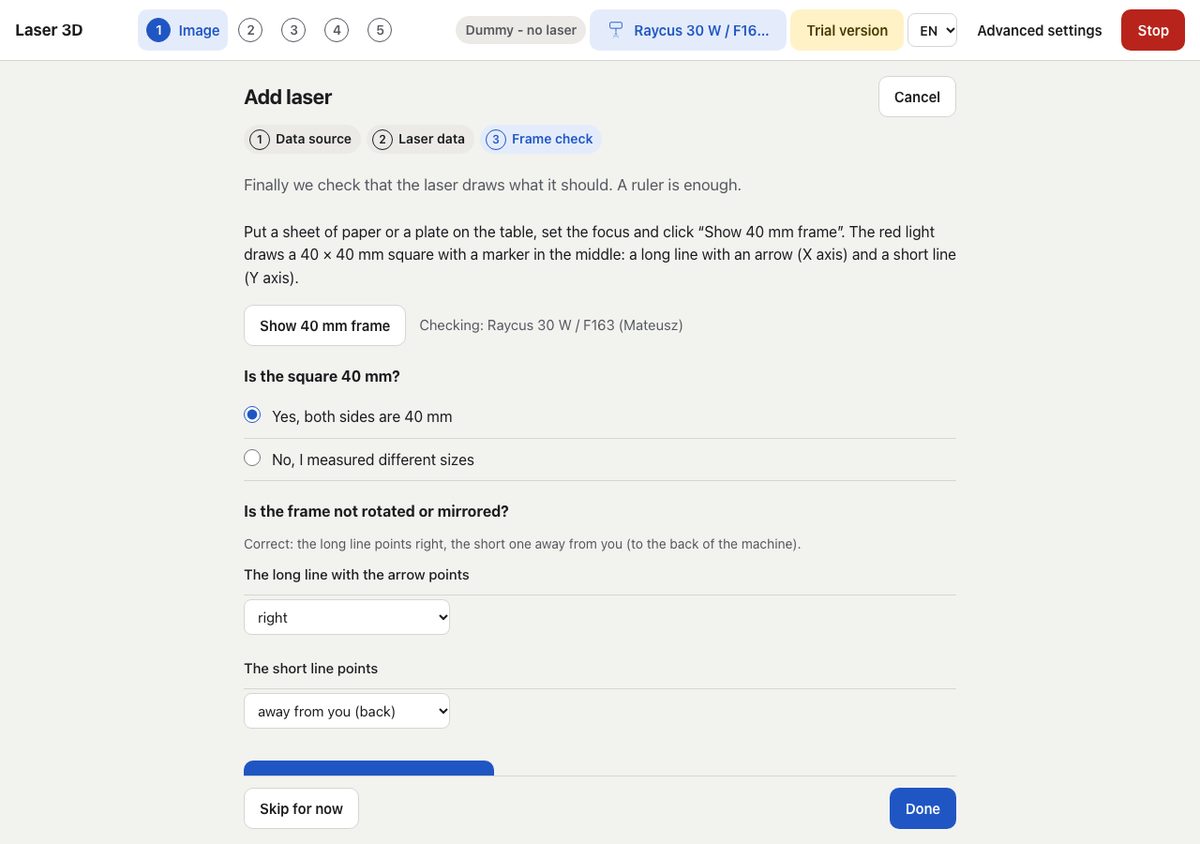
- 40 mm frame check: the red light draws a square with axis markers; answer whether it measures 40 mm and where the markers point, and BeamCarve fixes scale, swap and direction.
You can keep several laser profiles and switch between them.
Do I need a driver?
macOS (Apple Silicon): no. Connect the laser with a USB-C to USB-A adapter. Windows: yes, because EZCAD2 and BeamCarve need different USB drivers. BeamCarve installs its driver (WinUSB) and restores the EZCAD2 driver from the program, each time with one Windows administrator prompt. While BeamCarve's driver is active, EZCAD2 does not see the laser.
My laser is not on the list
Write to support@beamcarve.com with the controller name, source and lens; a screenshot of EZCAD2 F3 (Laser Control) helps.